SETTING UP THE RASPBERRY Pi

WHAT DO I NEED // 01
-
Raspberry Pi 3B+ or Higher
-
Official Raspberry Pi Power Supply
-
Case and Heatsink & Fan Kit
-
Good Quality 16GB Micro SD Card
-
USB SD Card adaptor (unless built in to you pc)
-
OpenHab Firmware Image file. (Free Download)
-
Etcher SD Card program (Free Download)

PREPARING THE SD CARD // 02
I can't stress enough the importance of using a high quality SD Card for your openhab set up.
I spent months getting a system working how i wanted it and the cheap SD Card i used crashed and was not recoverable. Stupidly as this was a project i hadn't backed up my installation, not a mistake i will make a second time !
I would highly recommend the Sandisk cards from experience they have proven the most reliable to date.
WRITING THE SD CARD // 03
Before writing the image using etcher mak sure that the card is freshly formatted and clean.
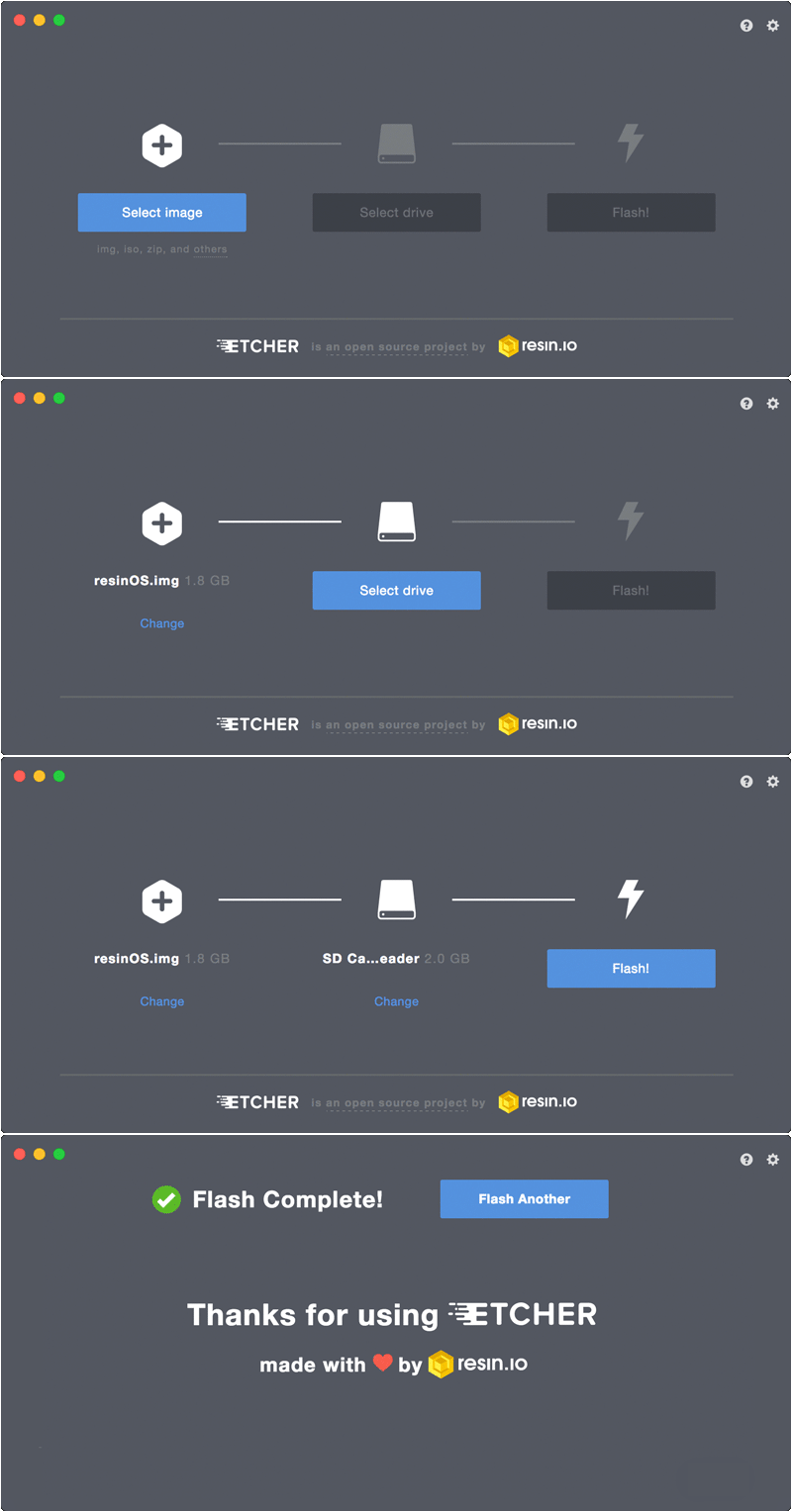
Open etcher, select the openhab image file from your computer, the select the drive that contains the sd card and hit flash.
This make take a little while, go and make a cuppa..........
When the SD Card is ready insert it into the Raspberry pi, connect a network cable to your router and power it all up.

FIRST LIFE // 04
wait min 45 Mins......................................... You will hopefully be rewarded with the Pi booting into an openhab2 setup.